Build your story in layers.
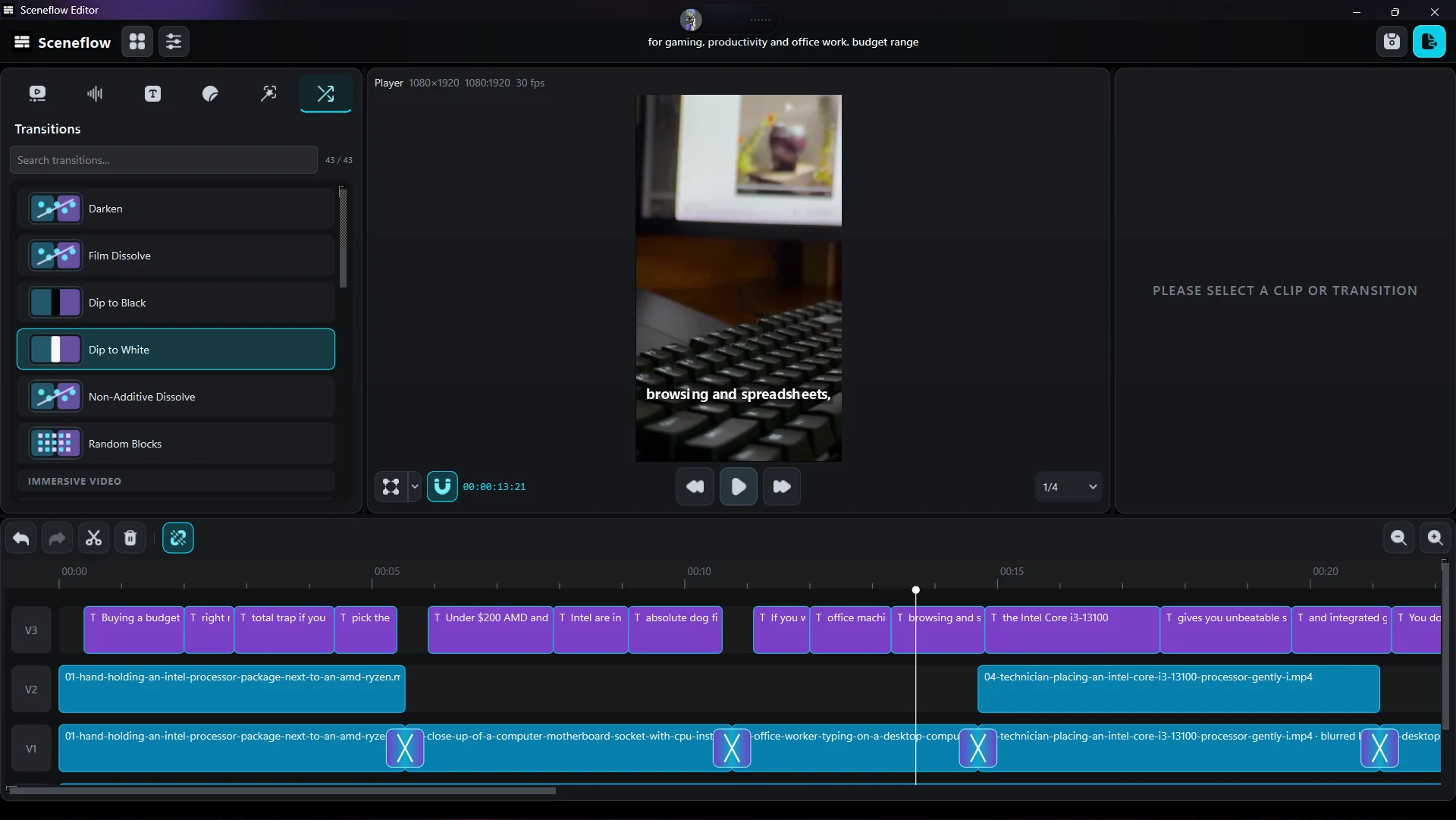
Arrange video, audio and captions on a multi-track timeline.
See how every piece fits, then refine the rhythm.
Write, source, voice, and edit. One thoughtful workspace for the whole video, made for Windows.
Available on the Microsoft StoreA dedicated timeline, expressive text, and the finishing touches.
All part of SceneFlow Studio.
Arrange video, audio and captions on a multi-track timeline.
See how every piece fits, then refine the rhythm.
Generate auto captions and make them your own with text styles and templates.
Add transitions and control how overlays enter, move through, and leave a scene.
Bring the script, the footage, and the voice together.
Turn a topic into a script and a scene plan. Set the length, shape the hook, and give each scene a direction.
Yes. The editor is built into the app, with a multi-track timeline, captions, text, transitions, animation controls and video export.
SceneFlow Studio is available on the Microsoft Store. The listing has the current price and system requirements.
Connect supported services with your own API keys for AI-assisted features such as scripts and voiceovers. Service availability and usage charges depend on the provider you choose.

Your next video starts in SceneFlow Studio.
Get for Windows